

Tabla de contenido
You have a brilliant idea for a web app. There’s just one problem: you don’t write code.
A few years ago, that meant hiring a developer, waiting months, and spending thousands of dollars. Today, it means opening Hostinger Horizons and typing what you want to build.
But here’s the question that stops most people before they start: What can I actually build with this thing?
Not the marketing promises. Not the “the sky’s the limit” fluff. Real, specific, working applications that solve real problems and can even make real money.
I’ve analyzed Hostinger’s official documentation, tested examples, and studied dozens of user reviews. Below, you’ll find 15+ types of apps you can build right now—plus the limitations you need to know before you hit a wall.
What Can You Actually Build with Hostinger Horizons? (Quick Overview)
Hostinger Horizons is an AI-powered development tool that transforms natural language prompts into fully functional web applications. Think of it as having a junior developer who works at the speed of light—you describe what you want, and the AI generates the code, file structure, and backend.
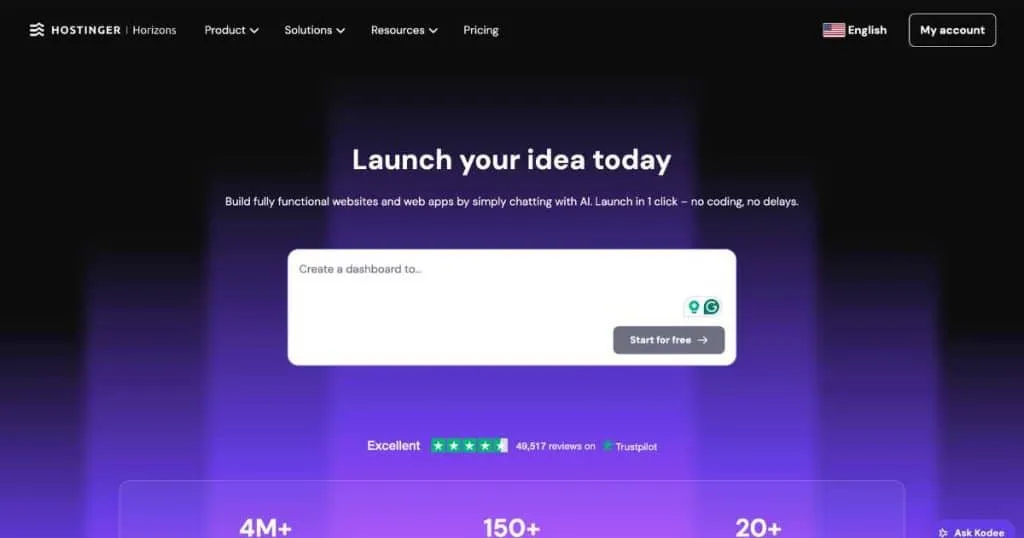
The platform includes everything in one package: frontend, backend, database, authentication, email sending, and hosting. No stitching together five different services. No “now go deploy this somewhere else.”
Who is this for? Solopreneurs, small business owners, freelancers, and anyone with an idea but zero coding experience.
The bottom line upfront: You can build impressive, functional web apps. You cannot build mobile apps, browser extensions, or complex 3D games.
At a Glance: App Types by Difficulty
| Difficulty | App Types | Time to Build | Best For |
|---|---|---|---|
| Easy | Landing pages, portfolios, calculators, to-do lists | 10-30 minutes | Beginners testing the waters |
| Medium | Dashboards, habit trackers, booking systems, quizzes | 1-3 hours | Small business tools and personal projects |
| Advanced | E-commerce stores, CRMs, micro-SaaS tools, AI-powered apps | Half a day+ | Entrepreneurs building revenue-generating products |
Based on user reports and official documentation
What Horizons CANNOT Build (Important Limitations)
Before diving into what’s possible, let’s be honest about the dealbreakers. According to Hostinger’s official documentation and verified user reviews:
| ❌ Cannot Build | Why |
|---|---|
| Native mobile apps (iOS App Store / Google Play) | Not supported—web apps only |
| Browser extensions (Chrome, Firefox, etc.) | Outside the platform’s scope |
| Banking or trading applications | Security and regulatory restrictions |
| 3D games | Only simple 2D games like Snake or Tetris |
| Complex enterprise SaaS | Advanced features require manual coding |
Also worth knowing: payment gateway integration exists but users report it can be “not secure” when indirectly integrated. Code export is possible on Hobbyist plans and above, but you cannot re-import code back into Horizons for continued editing.
If you’re considering traditional alternatives, you might want to explore WordPress for business as a complementary solution for content-heavy sites.
Now, let’s get to the good stuff.
1. Productivity & Task Management Apps
This is Horizons’ sweet spot. The platform excels at creating tools that help you organize work, track time, and manage projects.
Task Manager & To-Do Lists
Think Trello, but built in 10 minutes. Start with a prompt like: “Create a task management app where users can add, edit, and delete tasks. Each task needs a title, description, due date, and a checkbox for completion. Include categories for Work, Personal, and Shopping.”
Real example: One user built a complete property management portal in under 10 minutes. The AI generated working authentication, database structure, and a clean interface.
Time Tracking Tools
“Build a time tracker with a stopwatch feature. Users should be able to start/pause/reset timers and log completed sessions with project names and notes.”
The integrated backend handles data storage automatically, so tracked hours persist across sessions.
Habit Trackers & Routine Planners
“Create a 30-day habit tracker with checkboxes for daily completion. Show a visual progress bar for each habit and a calendar view of completed days.”
Horizontal progress bars, visual calendars, and streak counters are well within Horizons’ capabilities.
Brainstorming & Idea Boards
“Build a digital whiteboard where users can create sticky notes with colors, drag them around, and delete them. Include categories for ideas, to-dos, and questions.”
According to Hostinger’s documentation, brainstorming boards are explicitly listed as a supported use case.
2. Trackers & Personal Finance Planners
People love tracking things. Horizons makes it easy to build tools that monitor habits, budgets, and goals.
Budget & Expense Trackers
“Create a personal budget tracker. Users can add expenses with name, amount, category, and date. Show a summary by category and a remaining budget calculation.”
The platform automatically generates the database schema to store all this information.
Savings Goal Calculators
“Build a savings goal calculator where users enter a target amount, current savings, and monthly contribution. Show how many months until they reach their goal and a progress bar.”
Official documentation lists “savings goal monitors” as a standard use case.
Fitness & Workout Planners
“Create a weekly workout planner. Users can select exercises for each day, log completed sets and reps, and see a history of past workouts.”
One reviewer reported building a complete fitness platform using Horizons, complete with user accounts and progress tracking.
Progress Monitors for Habit Change
“Build a 30-day challenge tracker where users commit to a daily action (like walking 10,000 steps or drinking water). Each day they can mark complete and see a motivational message.”
The built-in email system can send daily reminders.
3. Dashboards & Internal Business Tools
This is where Horizons shines for actual business use. Dashboards let you visualize data without Excel hell.
SEO & Marketing Dashboards
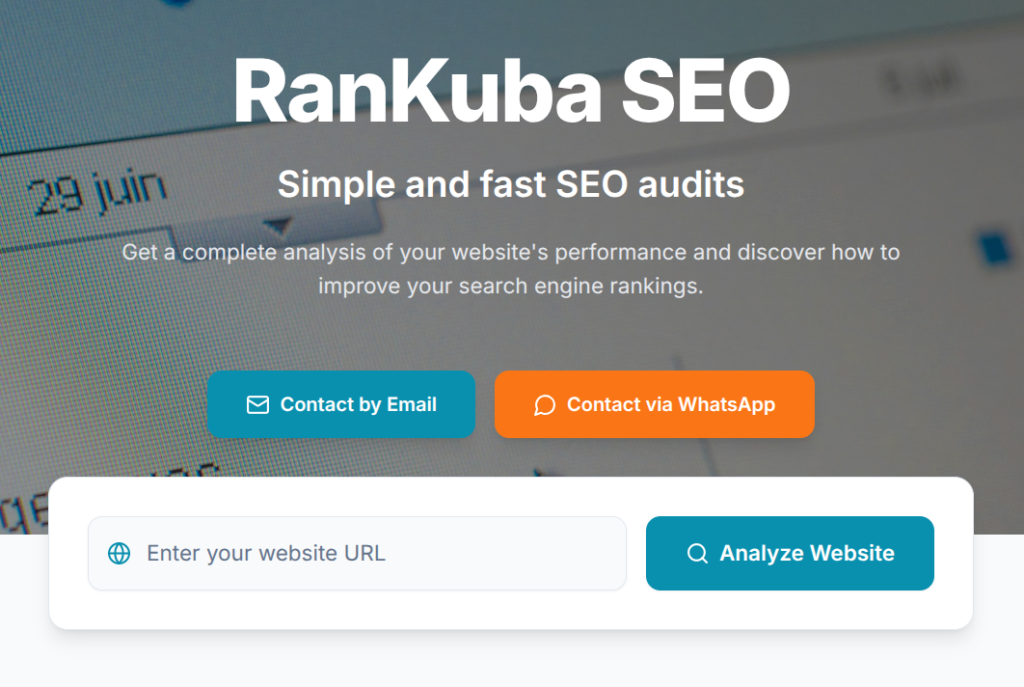
Want to see what’s actually possible? Check out Audit.rankubaseo.com —a fully functional SEO auditing tool built with Hostinger Horizons. It analyzes websites and provides technical SEO recommendations, demonstrating that Horizons can handle real-world business logic, form inputs, and data processing.
Prompt idea: “Create an SEO audit tool where users enter a website URL. The app checks page titles, meta descriptions, image alt text, and loading speed. Return a report with passed/failed status for each check.”
Cryptocurrency & Financial Dashboards
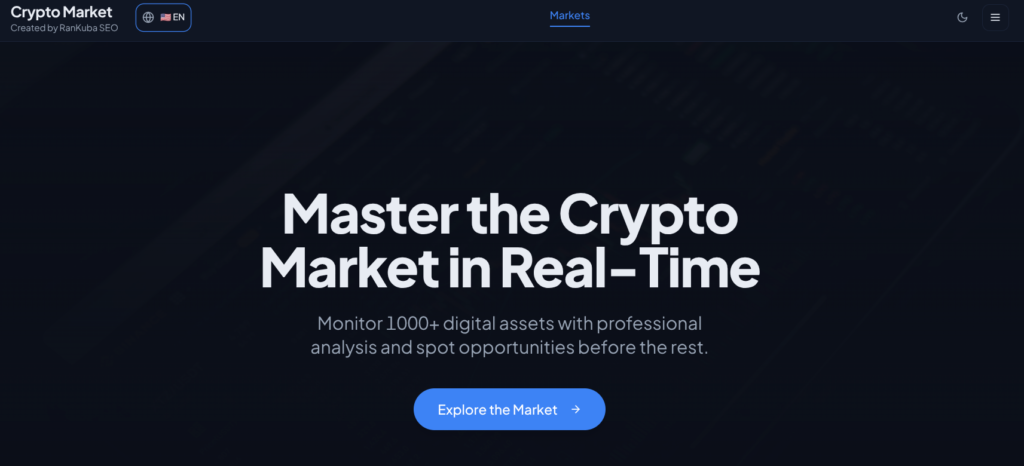
Another real-world example: Crypto.rankubaseo.com monitors 1,000+ digital assets in real time with AI-powered predictive algorithms. This proves Horizons can integrate external APIs, handle live data streams, and even incorporate machine learning predictions.
Prompt idea: “Build a crypto dashboard showing top 50 cryptocurrencies by market cap. Include current price, 24-hour change, and a simple chart. Data should refresh every 5 minutes from a public API.”
CRM & Customer Management Tools
“Create a simple CRM where users can add contacts with name, email, phone, and notes. Include a search bar and filters by tag or status.”
Multiple SourceForge reviewers specifically mention building CRMs with Horizons. The built-in authentication system handles user accounts and access control.
Project Status Monitors
“Build a project dashboard showing active projects, completion percentages, team member assignments, and upcoming deadlines. Include a Kanban view for tasks.”
Horizontal progress bars and status indicators are easy to generate with simple prompts.
For more inspiration on business-focused web tools, explore websites for business in the United States to see what professional business sites include.
4. Health & Wellness Assistants
Health apps are popular for a reason—people want to feel better, and tracking helps.
Personalized Fitness Apps
“Create a fitness app that generates workouts based on user level (beginner, intermediate, advanced). Users select their level and available equipment, and the app suggests a 20-minute routine with exercise descriptions and rep counts.”
One GitHub community project lists fitness apps as a verified use case.
Sleep Schedulers & Trackers
“Build a sleep tracker where users log bedtime, wake time, and sleep quality (1-5). Show a weekly average sleep duration and quality trend.”
Simple CRUD operations (Create, Read, Update, Delete) are Horizons’ bread and butter.
Journaling & Mental Health Tools
“Create a private digital journal. Users can write daily entries with mood ratings (happy, okay, sad, anxious). Include a calendar view to see past entries and a gratitude prompt section.”
The platform handles user authentication, so each person sees only their own entries.
5. Learning & Entertainment Platforms
Yes, you can build fun stuff too. Learning apps and simple games work great.
Gamified Language Learning Apps
“Build a vocabulary flashcard app for learning Spanish. Users see a word in English, type the Spanish translation, and get immediate feedback. Track correct answers and show progress toward mastery.”
Interactive quizzes are explicitly listed in Horizons’ documentation.
Interactive Quiz Platforms
“Create a trivia quiz with 10 multiple-choice questions. Users select answers, see if they were correct immediately, and get a final score at the end. Include a leaderboard showing top scores.”
The built-in database stores scores, and user authentication ties results to specific accounts.
Web-Based 2D Games
“Build a Snake game where the snake grows when it eats food, and the game ends if it hits the wall or itself. Include score tracking.”
Hostinger confirms that web-based versions of classic 2D games like Snake and Tetris are possible.
6. Ecommerce & Online Stores
Selling products? Horizons has built-in ecommerce features.
Physical Product Stores
“Create an online store selling handmade candles. Product pages need images, descriptions, prices, and an Add to Cart button. Include a shopping cart and checkout page.”
Hostinger Horizons includes native ecommerce functionality for product listings, discounts, and shipping options. The integrated backend handles inventory management.
Digital Product Marketplaces
“Build a store selling digital products like ebooks and templates. After purchase, users receive an email with a download link. Include a customer account area to access past purchases.”
The built-in email system can send automated purchase confirmations and download links.
Interactive Pricing Calculators

Need to show customers transparent pricing? Calculadora.rankubaseo.com is a perfect example—a digital project cost calculator built with Horizons that lets users select services and see real-time budget estimates. This demonstrates conditional logic, form handling, and dynamic pricing calculations.
Prompt idea: “Build a service pricing calculator. Users select from checkbox options (Web Design, SEO, Marketing). Each option has a base price. Show real-time total and a summary before form submission.”
Important: Payment Gateway Limitations
Here’s where caution is warranted. While Horizons supports Stripe integration, users report that indirect payment integration “is not secure”.
What this means: For collecting payments, you’ll need to configure Stripe manually. Some users have successfully done this; others hit roadblocks. For actual ecommerce, test payment functionality thoroughly before launching.
7. Micro-SaaS & Simple Business Tools
Want to build something that generates recurring revenue? These are your best bets.
Invoice Generators
“Create an invoice generator where users enter client name, items, quantities, and rates. The app calculates subtotal, tax, and total, and generates a printable invoice PDF with a unique invoice number.”
User reviews specifically mention building QR generators and similar tools.
Booking & Scheduling Tools
“Build an appointment booking system. Service providers set their available time slots. Clients choose a date/time, enter their contact info, and receive a confirmation email with a calendar link.”
The February 2026 backend update added native support for calendar integrations. Email confirmations are built-in.
QR Code Generators
“Create a QR code generator. Users enter text or a URL, select a size, and the app generates a downloadable QR code PNG.”
One SourceForge reviewer proudly built and published “an audio web app, study timer, and a QR generator” using Horizons.
Audio Web Tools
“Build a simple audio recorder where users can record from their microphone, play back recordings, and download them as MP3 files.”
The same reviewer mentioned building functional audio tools with zero coding experience.
For additional business tool inspiration, see web design for business in the United States for professional design patterns you can replicate.
Real Examples: What Users Are Building Right Now
Numbers are nice. Actual success stories are better.
From the Hostinger Blog: 1 Million Users in One Year
Hostinger Horizons reportedly reached 1 million users within its first year. That’s not a typo. A million people have at least tried building something with this tool.
Live Horizons-Powered Apps (Built by Real Users)
Here are three working examples built with Hostinger Horizons that you can visit right now:
| App | URL | What It Does |
|---|---|---|
| SEO Audit Tool | audit.rankubaseo.com | Runs technical SEO checks on any website |
| Project Cost Calculator | calculadora.rankubaseo.com | Dynamic pricing estimator for digital services |
| Crypto Dashboard | crypto.rankubaseo.com | Real-time cryptocurrency tracking with AI predictions |
These prove that Horizons isn’t just for toy projects—it’s powering real, functional business tools.
Verified User Reviews on SourceForge
Here’s what actual users built, straight from verified SourceForge reviews:
| User | Built | Time |
|---|---|---|
| Freelancer | Customer support portal for small business client | 1 day |
| Entrepreneur | Prototype to show client (client thought it would take weeks) | 1 day |
| User review | Audio web app, study timer, QR generator | Within weeks |
Direct quote from a verified user (May 2025):
“I built a prototype to show my client and they thought it would take weeks whereas I built it in a day.”
Another user:
“I built and published several tools like an audio web app, study timer, and a QR generator — all without writing a single line of code.”
To monitor your own app’s performance after launch, Google Search Console is an essential free tool for tracking how your site appears in search results.
How to Write Prompts That Get Better Results
Here’s the thing about AI: garbage in, garbage out. Most people write terrible prompts and blame the tool. Don’t be most people.
The 2-5 Sentence Formula That Works
According to Hostinger’s official prompt guide:
First message (high-level, 2-5 sentences):
“Create a landing page for a fitness app with a hero section and signup form.”
Follow-up messages (one action at a time):
“Add a pricing section with three tiers.”
“Center the signup button in the hero section.”
Rules of Thumb
| ✅ Do This | ❌ Avoid This |
|---|---|
| Be specific (“Center the signup button”) | Vague complaints (“I don’t like the result”) |
| Break complex ideas into steps | One giant prompt with 10 changes |
| Upload images/sketches for reference | Only text with no context |
| Use “Revert to this message” when errors appear | Asking for fixes on top of fixes |
Example: From “Fitness App” to Working Prototype
First prompt (2 sentences):
“Create a fitness tracker app where users can log daily workouts. Each entry should include exercise type, duration in minutes, and calories burned. Show a weekly summary chart.”
Second prompt (1 action):
“Add a profile page where users can set their weight goal and see progress toward it.”
Third prompt (fix an issue):
“Center the ‘Add Workout’ button below the chart instead of at the top right.”
Following this pattern, users report building functional MVPs in under 10 prompts.
For advanced technical optimization once your app includes images, check out this guide on how to optimize website images for speed and SEO.
For keyword research to drive traffic to your new app, SEMrush is the industry standard for understanding what your potential users are searching for.
Hostinger Horizons Pricing & Credits (2026)
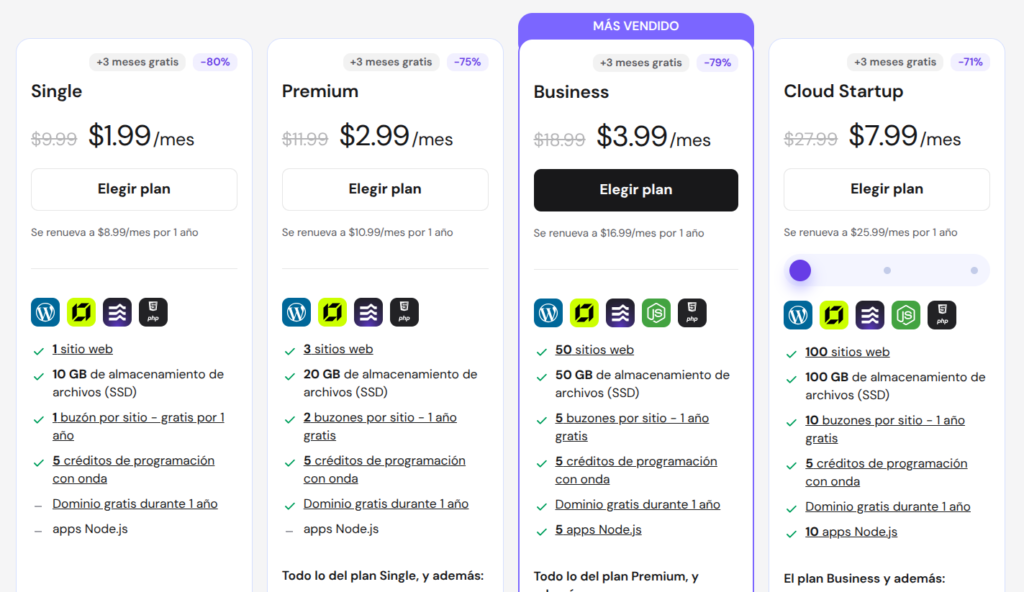
Let’s talk money. All prices are annual billing (monthly costs shown in parentheses). Exclusive 15% discount code: TRHORIZONS15 (valid until June 30, 2026).
For performance optimization once your app is live, learn how to improve WordPress loading speed —many of the same principles apply to Horizons-built apps.
Frequently Asked Questions
Can I build a mobile app with Hostinger Horizons?
No. According to official documentation, Horizons cannot create native mobile applications for the iOS App Store or Google Play. You can build web apps that work in mobile browsers, but you cannot submit them to app stores.
Can I monetize my app (ads/subscriptions)?
Yes, but with caveats. Stripe integration is supported, but some users report security concerns with indirect integration. For serious monetization, test thoroughly. You can also earn by creating remixable templates—Horizons offers commission-based earnings.
Can I export my code?
Yes, on Hobbyist plans and above. However, exported code cannot be re-imported back into Horizons for continued editing. Export is a one-way door—useful for migrating to traditional hosting, not for round-trip editing.
Is Horizons good for complex web apps?
Not yet. User reviews consistently note that “complex features are little hard to implement right now”. The platform excels at micro-SaaS, internal tools, and simple to medium-complexity applications. For enterprise-scale or highly custom apps, you’ll hit limits.
What tech stack does Horizons use?
Horizons automatically selects Node.js for backend and React + Vite for frontend. You can request specific technologies, but this may cause compatibility issues.
For those considering traditional CMS alternatives, free WordPress themes can be a good starting point for content-first projects.
Bottom Line: Is Horizons Right for Your Project?
Choose Horizons if you:
- Have zero coding experience but a clear app idea
- Need a functional prototype or MVP quickly (hours, not weeks)
- Want predictable pricing ($6.99-$79.99/month, not usage-based surprises)
- Are building internal tools, personal trackers, or simple SaaS products
- Want hosting, database, auth, and email in one package
Consider alternatives (or wait) if you:
- Need a native mobile app (iOS/Android)
- Require complex backend logic or custom integrations
- Are building a high-volume ecommerce store with complex payment needs
- Need Git integration or team collaboration features
- Want to re-import edited code after exporting
The verdict from HostAdvice’s head-to-head test: “Hostinger Horizons is the clear winner for most users. At $6.99/month, it costs 72% less than Replit’s Core plan.”
For deeper research on competitor analysis and SEO strategy, SEMrush offers tools to understand what keywords your target audience uses.
Ready to Build?
Your app idea isn’t getting built while you read about building apps.
Here’s your action plan:
- Start with the 7-day free trial (5 messages to test the waters)
- Use the code
TRHORIZONS15for 15% off any annual plan (valid until June 30, 2026) - Write your first prompt using the 2-5 sentence formula above
- Iterate one change at a time using direct, actionable feedback
The only thing standing between you and your first web app is a few sentences and 10 minutes.
Start building with Hostinger Horizons →
This article includes affiliate links. If you purchase through these links, I may earn a commission at no extra cost to you. I only recommend tools I’ve thoroughly researched and believe provide genuine value.