Tabla de contenido
Introduction
Let’s be honest: most small business owners spend between $3,000 and $10,000 on a website and end up with something they’re embarrassed to hand out at a networking event . The design looks generic, the pages load slowly on mobile, and the contact form hasn’t generated a single lead in six months. That’s not a budget problem. That’s a strategy problem.
In 2026, having a professional website is no longer optional—it’s the foundation of your business. Think of your website as the digital equivalent of a physical shop window. It needs to be clean, inviting, and clearly state what you offer. For many, the challenge is not the desire to be online, but finding a path that respects a limited budget while delivering professional results .
The good news? The gap between “cheap and embarrassing” and “professional and effective” has closed significantly. There are now genuinely good solutions at every budget level .
In this guide, you’ll learn exactly what affordable website design for small business really means, what it should cost, and how to choose the right path for your specific needs. Whether you’re a freelancer, a local service provider, or an e-commerce startup, you’ll walk away with a clear plan to get online without breaking the bank.
Why Every Small Business Needs a Professional Website
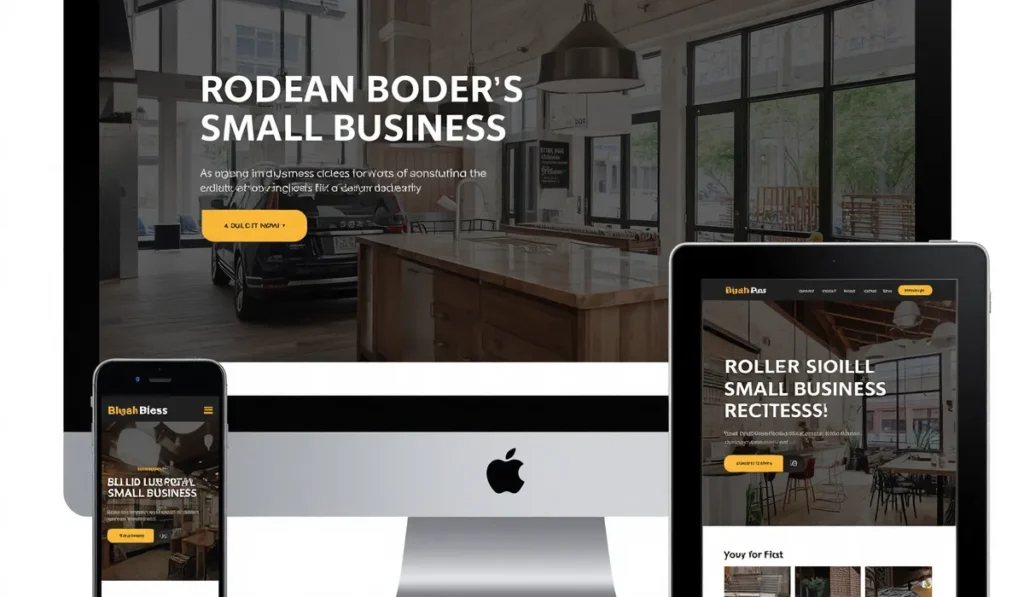
The numbers don’t lie. According to Statista, more than 60% of global web traffic now comes from mobile devices, and for local service businesses—restaurants, clinics, contractors, legal firms—the number is often higher. If your website doesn’t deliver a professional experience on a smartphone, you’re turning away more than half of your potential customers before they’ve even read your first sentence.
Build Credibility and Trust
Your website is often the first impression potential customers have of your business. If a potential customer looks you up and finds a broken or outdated site, they might assume your service is equally neglected . A professional look matters because it builds immediate trust.
Create a Strong Online Presence
Research by HubSpot consistently shows that businesses that align platform choice with long-term growth goals spend significantly less on redesigns over a 3-year horizon . Getting online used to mean either spending thousands on a web agency or cobbling something together yourself and hoping it worked. Today, neither extreme is your only option.
Reach Customers Who Search Online
A study by Clutch found that 46% of small businesses still don’t have a website. Of those that do, a significant number have sites that fail basic usability tests: no clear CTA, no mobile optimization, page load times north of 5 seconds . This represents a massive opportunity for businesses that get it right.
Compete with Larger Companies
A well-designed, fast-loading website can level the playing field against larger competitors. Your business can project professionalism and authority at a fraction of the cost of a physical location. For a quick health check on your existing site, you can use our free SEO audit tool to identify critical issues.
What Is Affordable Website Design for Small Business?
Affordable website design for small business doesn’t mean cheap—it means smart: knowing which design decisions drive ROI and which ones drain your wallet without moving the needle .
The Difference Between Affordable and Low-Quality
The cheapest website is rarely the most affordable one over time. A $400 DIY website that generates zero leads costs your business far more than a $4,000 professionally built site that brings in five new customers per month. When evaluating web design costs, the relevant question is not how much does it cost to build but what return will it generate once it is live .
To estimate your potential return, use our SEO calculator to see what a properly optimized site could mean for your bottom line.
Key Features Every Affordable Business Website Should Include
Every affordable website design for small business should include these essential components:
| Feature | Why It Matters |
|---|---|
| Mobile-responsive design | Over 60% of traffic comes from mobile devices |
| Fast loading speed | Slow pages kill conversions and hurt SEO |
| Professional branding | Builds trust and credibility instantly |
| Clear calls to action | Guides visitors toward becoming customers |
| Contact forms | Captures leads 24/7 |
| SEO foundation | Helps customers find you |
| SSL certificate | Protects customer data and builds trust |
| Social media integration | Extends your reach across platforms |
| Google Maps integration | Essential for local businesses |
How Much Does Affordable Website Design Cost?
Average Website Design Costs for Small Businesses
The average cost of creating a small business website ranges from $50 to $10,000 or more . It depends entirely on how you build it and which platform you choose.
Here’s a realistic breakdown of what small businesses can expect at different investment levels in 2026 :
Under $500: DIY Website Builders
At this price point, you’re building the site yourself using a platform like Wix or Squarespace. The tool handles technical infrastructure, but design is limited to templates, content is your responsibility, and SEO is entirely up to you. This option makes sense for very early-stage businesses that need a basic online presence .
$500 to $2,000: Freelancers and Budget Agencies
You can expect a professionally designed website built on a standard platform like WordPress, usually using a premium theme adapted to your brand. Page count is limited, content is often your responsibility, and post-launch support may be minimal. Results vary widely at this price point—the provider’s portfolio matters enormously .
$2,000 to $6,000: Professional Web Design Services
This is where most established small businesses find the best balance between investment and return. At this level you can expect a properly scoped project with a discovery process, custom or semi-custom design, professional copywriting support, on-page SEO implementation, mobile optimization, and a period of post-launch support .
For a full breakdown of professional options, check our guide on web design for business in the United States.
$6,000 to $20,000+: Custom and Enterprise Projects
At this level, you’re looking at fully custom design with no template constraints, advanced functionality (booking systems, membership portals, complex e-commerce), comprehensive content strategy, and ongoing managed relationship with the agency .
Factors That Influence Pricing
Several factors determine the final cost of affordable website design for small business:
| Factor | Impact on Cost |
|---|---|
| Number of pages | More pages = more work |
| Custom design requirements | Custom design costs more than templates |
| SEO services | Professional SEO adds value and cost |
| Content creation | Professional copywriting adds expense |
| Hosting and maintenance | Ongoing costs vary by provider |
Many businesses find the sweet spot at professional services in the $2,000-$6,000 range, where you get a team (not just an individual) handling design, development, content, and SEO as a coordinated effort .
One-Time Payment vs Monthly Website Plans
Many providers now offer website subscription plans that bundle design, hosting, maintenance, and support into one monthly fee. This can make professional web design more accessible by spreading the cost over time. One-time payment options typically range from $2,000 to $6,000 for a standard small business website , while monthly plans can start around $100-$300 per month.
What Should Be Included in an Affordable Website Design Package?
A quality affordable website design package for small business should include:
Custom Homepage Design
A single-purpose homepage answers one question in under five seconds: What do you do, who is it for, and why should I trust you? This “hero-first” homepage concentrates visitor attention on a single action: book a call, get a quote, start a free trial .
Service or Product Pages
Each service or product needs its own dedicated page with clear descriptions, benefits, and a call to action. Additional pages typically cost starting at $350 per page .
Contact Page and Lead Generation Forms
A professional contact page with clear forms, phone number, and address. Every extra field in a form reduces completion rates, so keep it minimal .
Mobile Optimization
Mobile-first design means you design for the smallest screen first, then scale up—not the other way around. Buttons must be at least 44x44px, body text must be at least 16px, and images must be compressed and served in next-gen formats like WebP .
Basic SEO Setup
Includes page titles, meta descriptions, image alt tags, and URLs optimized for search. This is the foundation of visibility. You can learn more about the fundamentals in our guide on what is SEO.
Google Analytics Integration
Track your traffic, user behavior, and conversions to measure what’s working.
Security Features
An SSL certificate (that little padlock icon in the browser bar) is now a standard requirement for building customer confidence .
Website Training and Support
A good provider will train you to make basic updates—changing a phone number or adding a new service description in minutes, not days .
Ready-for-You Website Templates
An increasingly popular option is the “ready-for-you” template approach. These are delivered approximately 90% complete, with structure, layout, and guided starter content in place. You’re not starting from a blank template. This approach supports affordable website design for small business without sacrificing quality .
Lively is a modern WordPress website template designed for small businesses that want a friendly, professional online presence without the complexity of a fully custom build. Its structure emphasizes clarity, human connection, and ease of use for both visitors and business owners .
Affordable Website Design vs DIY Website Builders
Hiring a Professional Web Design Agency
Advantages:
- Better design quality and strategy
- SEO built into the foundation, not slapped on as an afterthought
- Higher conversion rates because user journeys are mapped professionally
- Ongoing support and maintenance handled for you
- Access to a team, not just an individual
For businesses that prefer a hands-off approach, professional services offer the expertise to get it right the first time. If you’re ready to find expert help, our guide on SEO agencies can point you in the right direction.
Building Your Own Website
Using Website Builders
Platforms like Wix, Squarespace, and Shopify offer easy, no-code solutions. These platforms bundle hosting, templates, and drag-and-drop editors into one package. Plans typically cost $10 to $50/month, depending on features and customization .
Pros of DIY Builders:
- Fast setup (1-5 days)
- Low monthly cost
- No technical skills required
- Everything bundled in one place
Cons of DIY Builders:
- Limited design flexibility
- Often restrictive SEO control
- Permanent monthly fees—you never stop paying
- Migration is difficult; moving to another platform often means rebuilding from scratch
Hidden Costs of DIY:
- Premium templates that don’t look like everyone else’s site ($50-200)
- Essential plugins and features that aren’t included in “basic” plans
- Custom domain and professional email setup
- Security certificates and backup solutions
Time Investment:
The average time to build a DIY site is 40+ hours—that’s a full work week. The learning curve for basic design principles is significant, and countless hours are spent troubleshooting .
For a detailed comparison of popular platforms, check out our analysis of the best SEO plugin for WordPress and our guide on how to automate SEO with AI.
Which Option Is Best for Your Business?
The table below summarizes your options at a glance :
| Approach | Best For | Cost Range | Time to Launch | Technical Skill Required |
|---|---|---|---|---|
| Hire a Web Designer | Custom features & expert help | $2,000-$10,000+ one-time | 2-6 weeks | None |
| Website Builder (Wix, etc.) | Beginners wanting ease & speed | $10-$50/month | 1-5 days | Low |
| WordPress (DIY) | Growth-ready control | $14.99+/month | 1-3 days | Low to moderate |
The Bottom Line: Website builders are great for getting started fast, but they’re not your only option. Depending on your budget, goals, and how much control you want, there are three main ways to create a business website.
How Affordable Website Design Helps Generate More Customers
Improving Visibility in Google Search Results
A well-designed website with proper SEO foundation helps customers find you. Built-in SEO tools assist with optimizations ranging from meta titles and descriptions to sitemaps and URL structure. Simple steps like adding descriptive text to images (alt text) can significantly improve your chances of being found by local customers searching for your specific services .
Understanding the timeline is important: SEO typically takes 3-6 months for initial results. Our guide on how long it takes to see results with SEO explains the full timeline and what to expect.
Building Trust with First-Time Visitors
Visual hierarchy is the design principle that controls where the eye goes on a page—and in what order. When it’s right, a visitor scans your homepage and instinctively understands your offer, your credibility, and their next step. When it’s wrong, they read everything, understand nothing, and leave.
Creating a Better User Experience
A fast, secure, and easy-to-navigate site is the best cover letter for Google and users. Google’s Core Web Vitals assessment heavily weights mobile performance, and a site that fails Core Web Vitals is being penalized in search rankings .
Turning Website Traffic into Paying Customers
The most effective affordable website for a small business isn’t the one with the lowest price tag—it’s the one built around the specific actions you want visitors to take. Clear calls to action, simple forms, and a single-purpose homepage that answers one question in under five seconds all contribute to higher conversion rates.
Common Mistakes Small Business Owners Make

1. Choosing the Cheapest Option Available
The cheapest website is rarely the most affordable one over time. A $400 DIY website that generates zero leads costs your business far more than a $4,000 professionally built site that brings in five new customers per month .
2. Ignoring SEO During Website Development
SEO built into the foundation is far more effective than SEO slapped on as an afterthought. The right platform choice supports proper URL architecture, schema markup, and blog structure . For local businesses, this is especially critical—our guide on what is local SEO explains why.
3. Using Outdated Website Designs
Design trends evolve, and an outdated site signals neglect. Regular updates keep your site fresh and maintain visitor trust.
4. Having Slow-Loading Pages
If a page takes too long to load, visitors will move on to a competitor. Research shows that Google rewards fast-loading sites with better search rankings .
5. Not Optimizing for Mobile Users
More than 60% of web traffic comes from mobile devices. A site that isn’t optimized for small screens frustrates users, hurts engagement, and impacts search rankings. Most modern website builders automatically incorporate mobile web design, adjusting your site’s layout, font sizes, and images .
6. Failing to Include Strong Calls to Action
A CTA button that blends into the page background—same color family, similar weight to surrounding text—gets ignored. A button in a high-contrast, brand-unique color that appears only on CTAs trains the eye to recognize it as an action point .
7. Not Tracking Website Performance
You can’t improve what you don’t measure. Google Analytics integration is essential for tracking traffic, behavior, and conversions.
How to Choose the Best Affordable Website Design Company
Review Portfolios and Past Projects
Look for work that aligns with your industry and business type. An experienced freelancer with strong conversion design skills can produce excellent work in the $500-$2,000 range. A less experienced provider building their portfolio may deliver something that looks reasonable but does not perform commercially .
Read Client Reviews and Testimonials
Client feedback reveals a lot about reliability, communication, and post-launch support. Look for reviews that mention ongoing support and responsiveness.
Ask About SEO and Marketing Services
Does the provider understand search engine optimization? Can they help you be found? For businesses targeting the US market, our guide on SEO for business in the United States provides useful context.
Compare Pricing and Deliverables
Make sure you’re comparing apples to apples. Does the price include hosting? Maintenance? Content creation? Professional copywriting typically costs $0.35 per word, and professional photography can run $500-$2,500+ for a business shoot .
Look for Transparent Communication and Support
Will you have a direct line to the person doing the work? What happens if something breaks? A freelancer may not be available if they get sick or go on vacation . An agency provides a team but comes with higher cost.
Evaluate Experience Working with Small Businesses
Providers who understand the constraints and priorities of small businesses will deliver better results. They know that time is your most valuable asset.
Why Investing in Professional Website Design Pays Off

Increased Online Visibility
A properly optimized site appears in search results for relevant queries. Professional SEO setup ensures you’re found by customers actively looking for what you offer.
Better Lead Generation
Conversion-focused design turns visitors into leads. User journey mapping, clear CTAs, and optimized forms all contribute to higher conversion rates.
Improved Brand Image
Professional design builds trust and credibility. A site with generous whitespace feels premium—even when it contains the same information as a DIY site .
Higher Conversion Rates
Speed matters. A fast site that looks professional on any device converts more visitors into customers.
Long-Term Business Growth
A website built on the right platform doesn’t need to be replaced. The wrong platform almost always does . For WordPress users, selecting the best SEO plugin for WordPress is a key part of this long-term strategy.
Reduced Need for Costly Redesigns
The right platform choice prevents costly migrations. Migrating from a SaaS builder like Wix to WordPress often means rebuilding from scratch—a significant hidden cost .
Success Stories: How Small Businesses Benefit From Professional Websites
While specific case studies vary, the pattern is consistent: businesses that invest in professional web design see measurable results in lead generation, customer engagement, and revenue.
For businesses in local markets, SEO remains the most effective channel. For US-based businesses, understanding regional competition and search behavior is key. You can learn more about strategies for the US market in our guide on SEO for business in the United States.
Frequently Asked Questions
How much does a small business website cost?
The average cost ranges from $50 to $10,000+, depending on the approach. DIY website builders cost $10-$50/month. Hiring a freelancer typically costs $2,000-$8,000. An agency project starts at $10,000+ .
Can I get a professional website on a limited budget?
Yes. Professional services in the $2,000-$6,000 range offer the best balance of investment and return for most established small businesses. Alternatively, “ready-for-you” templates starting around $2,500 provide a quality foundation without custom design costs .
How long does it take to build a website?
DIY with a website builder: 1-5 days. Hiring a professional: 2-6 weeks. WordPress DIY with AI assistance: 1-3 days .
Is SEO included in affordable website design services?
Some include basic SEO setup (page titles, meta descriptions, image alt tags), while others treat SEO as an add-on. Comprehensive SEO packages can cost $1,800+ one-time. For a deeper understanding, see our guide on how to automate SEO with AI.
What platform is best for a small business website?
For growth-ready businesses: WordPress with managed hosting. For beginners wanting simplicity: a website builder like Wix or Squarespace. For e-commerce: Shopify. The right choice depends on your long-term goals .
Should I hire a web designer or build the website myself?
If you have the time and technical comfort for DIY, and your needs are simple, a website builder can work. If your website is essential to generating leads or sales, professional design pays for itself through higher conversion rates.
Can a website help my business get more customers?
Yes. A professional website with clear CTAs, SEO optimization, and mobile responsiveness turns visitors into customers. For local businesses, SEO is especially effective—our guide on what is local SEO explains how.
Conclusion

Affordable website design for small business is not a myth. It’s a strategic decision that balances investment against return, time against money, and short-term savings against long-term growth.
The most effective affordable website isn’t the one with the lowest price tag—it’s the one built around the specific actions you want visitors to take . Whether you choose a DIY website builder, a freelancer, or a professional agency, the key is aligning your choice with your business goals.
For most established small businesses, the $2,000-$6,000 range offers the best return on investment . At this level, you get a properly scoped project with discovery, design, copywriting support, SEO implementation, mobile optimization, and post-launch support.
Your next step is simple: define your goals, choose your approach, and take action. Your future customers are already searching online. Make sure they find you.
Ready to get started?
- Use our SEO audit tool to check your current site’s health
- Calculate your project cost with our free cost calculator
- Learn more about how to automate SEO with AI to get ahead of the competition
- Explore AI business ideas in our guide on ChatGPT business ideas
- If you’re a freelancer yourself, discover 25 best freelance skills to build your career