
Tabla de contenido
Does your local business not show up when your potential customers search on Google? Discovering the best WordPress plugins for local businesses in 2026 is the ultimate strategy to make your website the main customer generator in your area.
In a world where 46% of searches have local intention, having a basic web page is no longer enough. Customers look for schedules, directions, reviews and the option to book instantly. If your website does not respond to these needs immediately, you are losing sales to your competition.
This guide is designed for you, owner of a shop, consultation, workshop or restaurant. We will show you the specific, tested and current tools you need to:
- Master the searches ‘close to me’ and appear in Google Maps.
- Automate customer acquisition With online forms and reservations.
- Gain credibility With reviews and build a fast and secure website.
Forget technicalities. We will talk about practical solutions that you can implement today to make your physical business unstoppable in the digital environment of 2026.
Why do local businesses need specific WordPress plugins?
a generic website (an online showcase with basic information) and one optimized for local seo They are two different realities. The first passively waits; The second attracts, convinces and actively converts.
The impact is measured in concrete visibility: to appear in the ‘local pack’ of Google (that block with three businesses and the map) can multiply by ten calls and visits. Specific plugins are the ones that send clear signals to Google Who are you, where are you and what do you offer?, structuring the information so that the search engines present you to the perfect customers: those who are a few kilometers away and have an immediate need.
What to keep in mind when choosing the best WordPress plugins for local businesses
Before installing anything, evaluate these criteria to avoid problems and ensure a smart investment:
- Compatibility and maintenance: Make sure the plugin is declared as compatible with the latest version of WordPress and PHP. A plugin without updates in the last year is a security and functionality risk.
- performance and speed: Each plugin adds code. Prioritize those recognized for their optimized code and offer ‘cache’ or ‘lazy load’ functions. Speed is a direct factor of SEO positioning and user experience.
- Ease of use and support: Search for intuitive drag and drop interfaces, and check that the developer offers accessible technical support (forums, tickets, clear documentation).
- Security: The plugins from official sources (WordPress repository) or from recognized companies are usually more secure. Read reviews on past vulnerabilities.
- Focus on local conversion: The plugin must solve a specific problem of your local business: Does it help me to appear on maps? To capture reservations? To show my schedules?
Best WordPress plugins for local businesses in 2026 (main list)
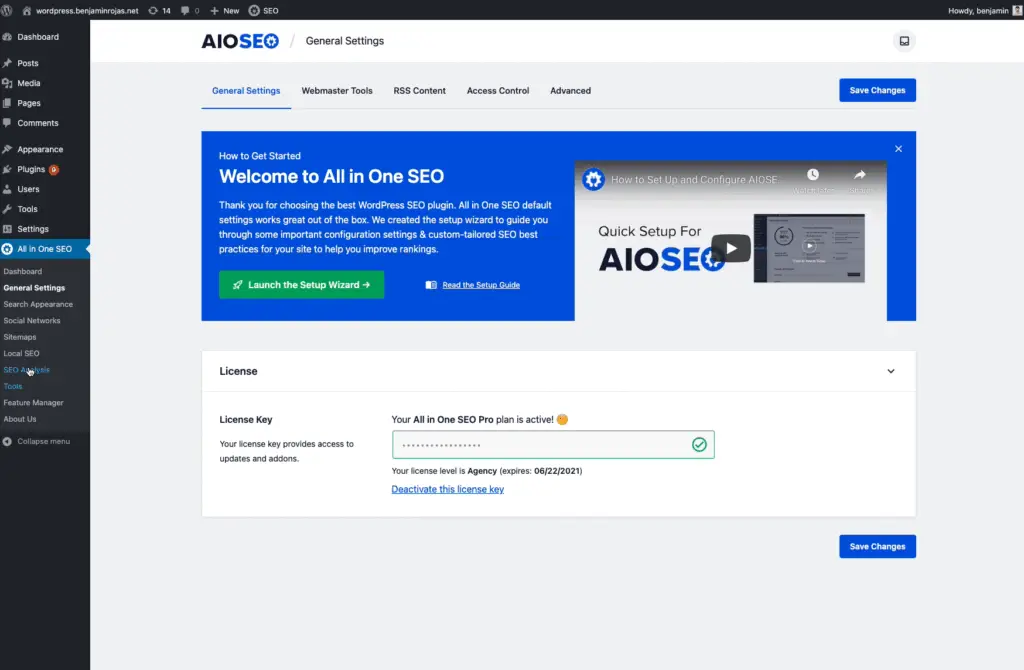
Plugin #1 – Local SEO Plugin: All In One SEO (AioSeo)
What it does and what it is ideal for: It is the complete package to master local searches. It goes far beyond writing meta tags; automatically generates the ‘Local Business Schema’, A code that informs Google about your name, address, phone number, hours and service area. Ideal for any business with a physical location (shops, restaurants, workshops, clinics) or services with a defined radius of action (plumbers, electricians).
key functions:
- Centralized local information manager (NAP: name, address, phone).
- Automatic generation of Schema Markup for local business.
- integration with Google Maps Directly from WordPress.
- Support for multiple locations (franchises or businesses with multiple locations).
- optimization for profiles Google Business Profile.
Advantages and disadvantages:
- ✅ Advantage: All-in-one solution that avoids installing multiple plugins. It is incredibly intuitive for complex technical tasks. The suite includes other essential SEO tools.
- ❌ disadvantages: To use only local functionality, it may look like a large suite. The free version (Lite) is limited; Local features require the paid version (plus or higher).
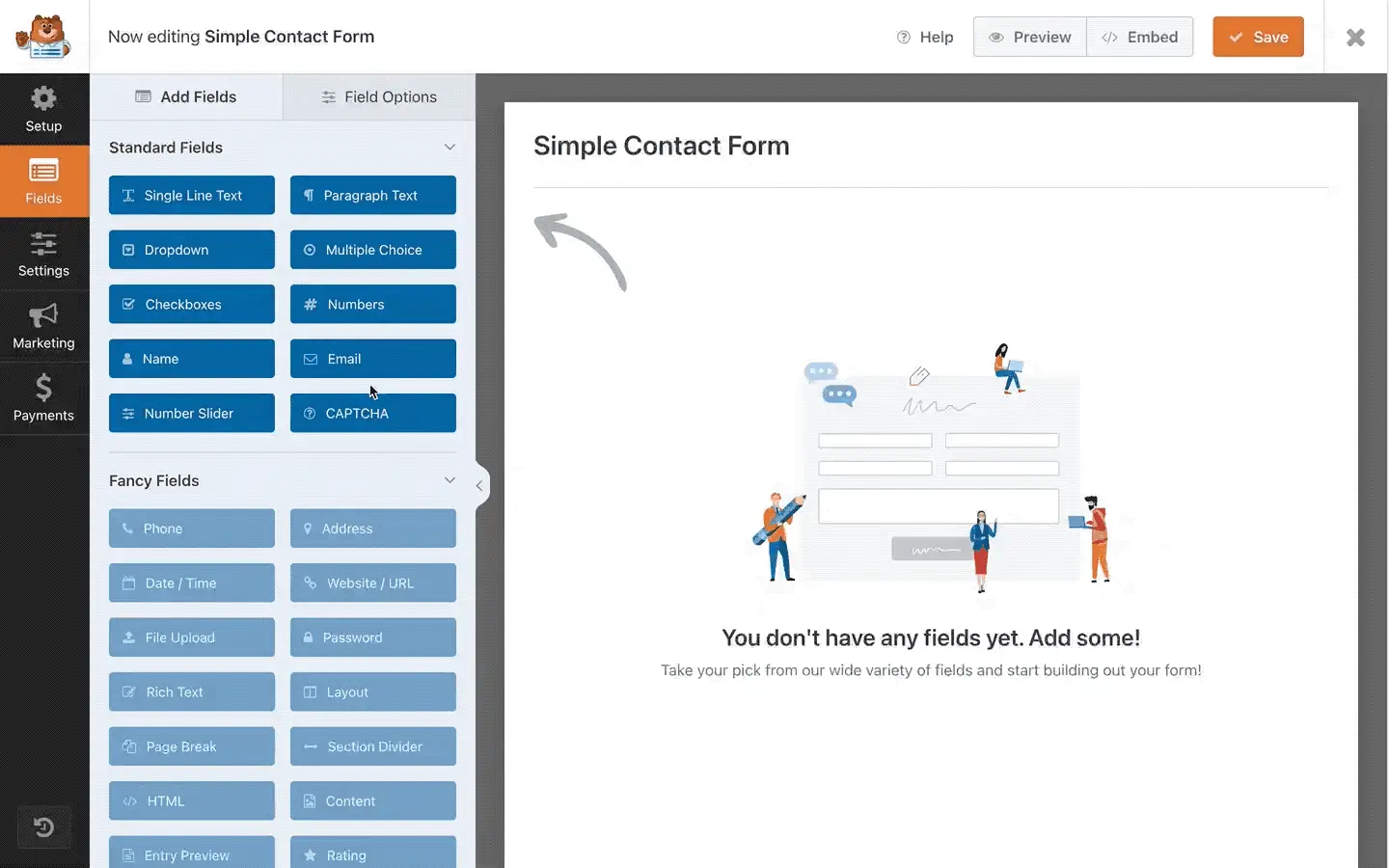
Plugin #2 – plugin for contact forms and customer generation: WPForms
What it does and what it is ideal for: It is the standard for creating any contact form visually. for a local business, allows you to go beyond the generic form and create fast budgeters, personalized appointment requests or satisfaction surveys. Perfect for capturing the customer’s intention in a structured way.
key functions:
- Extremely simple drag-and-drop constructor.
- Predefined templates for ‘Simple Contact Form’, ‘Budget Request’ or ‘Donation Form’.
- Conditional logic (show or hide fields according to what the user chooses).
- Integrations with email marketing tools and Google Sheets.
- Specific fields for online payments (with the Pro version).
Advantages and disadvantages:
- ✅ Advantage: The learning curve is almost nil. the free version (WPForms Lite) is more than enough for a basic contact form. It is reliable and widely supported.
- ❌ disadvantages: For advanced functionalities such as payments, complex logic, or lead management, you need to move on to a payment plan.
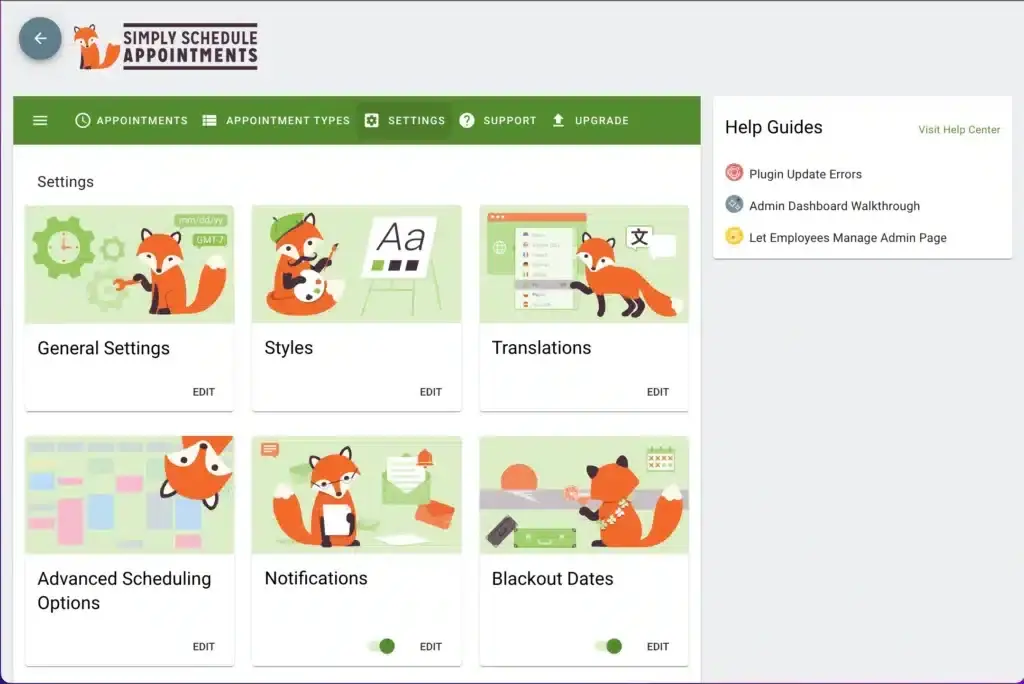
Plugin #3 – Online Reservation & Dating Plugin: Simply Schedule Appointments
What it does and what it is ideal for: Completely automates appointment management, eliminating endless emails or phone calls to specify schedules. It is ideal for clinics, consulting, hairdressers, mechanical workshops or personal trainers.
key functions:
- Two-way sync with Google Calendar to avoid double reservations.
- Types of configurable appointments (individual, group, per team).
- Automatic reminders by email and SMS (to reduce non-appearances).
- Integration with payment gateways such as Stripe and Paypal to collect reservations or deposits.
- Reservations page customizable and adaptable to mobile.
Advantages and disadvantages:
- ✅ Advantage: The interface is exceptionally clear for both the administrator and the client. The free plugin offers very solid features to start with. Technical support has excellent references.
- ❌ disadvantages: Some advanced integrations (such as SMS or complex payments) are in higher plans.
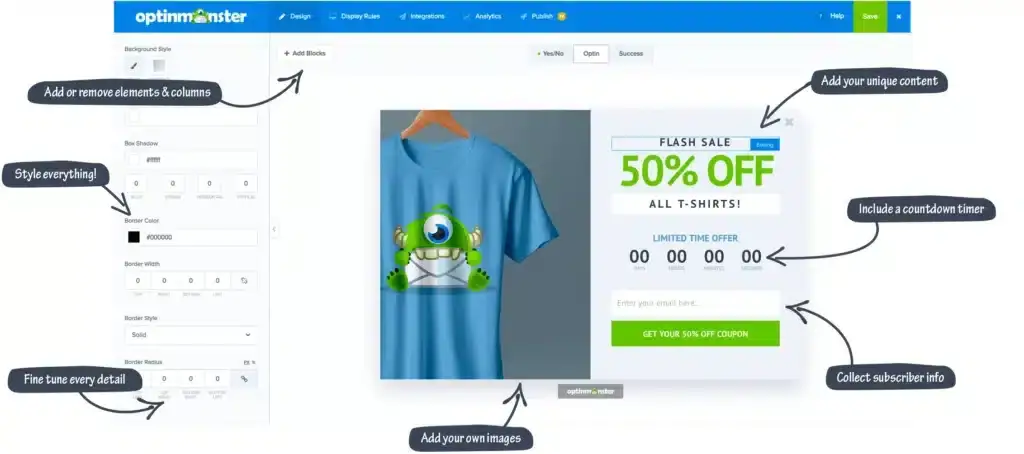
Plugin #4 – Local Marketing & Automation Plugin: OptinMonster
What it does and what it is ideal for: Convert passive traffic on your website into leads and potential customers. It’s not just for ‘pop-ups’; It is a conversion marketing tool that allows you to display the right message, to the right person, at the exact moment. Ideal for promoting local offers, attracting subscribers for a neighborhood newsletter or recovering visitors who were about to leave your website.
key functions:
- Exit-Intent® technology: Detects when a cursor is headed to close the tab and displays a last second offer.
- Geolocation segmentation: Show different campaigns to visitors from your city, from nearby towns or from other regions.
- Onsite Retargeting®: Show personalized messages to users who have already visited you before (eg: ‘Welcome again! Ready to reserve your table?’).
- Extensive library of A/B tests and templates.
Advantages and disadvantages:
- ✅ Advantage: Segmentation and customization capabilities are business-level. It integrates with almost any email marketing and WordPress tool. You can increase conversion rates dramatically.
- ❌ disadvantages: It is a tool focused 100% on conversion, not on other tasks. It requires a strategy and creativity to design effective campaigns. It is a subscription payment service.
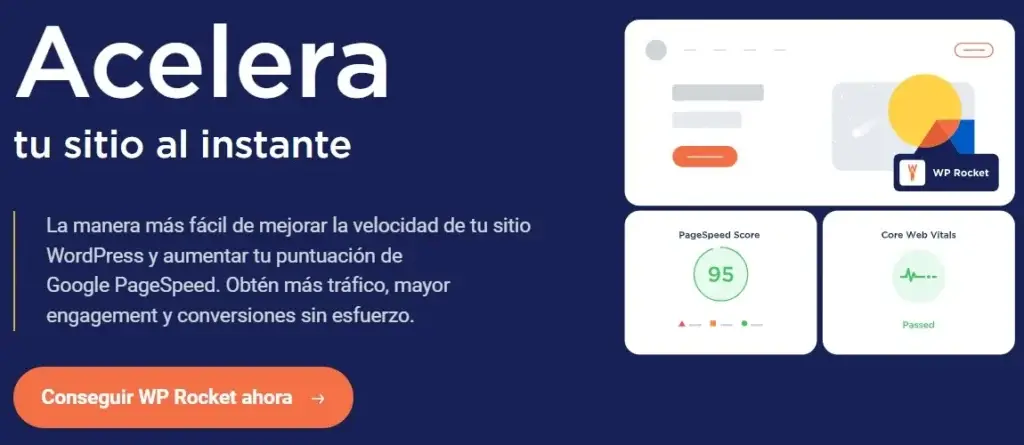
Plugin #5 – Speed and Performance Plugin: WP Rocket
What it does and what it is ideal for: It is the premium WordPress accelerator. Instantly apply over 80% of best web performance practices with one click. for a local business, a fast website is crucial: 57% of visitors leave a site that takes more than 3 seconds to load, and Google penalizes slow sites in your search results, including local ones.
key functions:
- Page cache: Create static and ultra-fast versions of your pages.
- Lazy Load: Delays loading of images and videos until the user scrolls to them.
- Minification and concatenation: Reduce and combine CSS and JavaScript files.
- CDN Ready: Easily integrates with content distribution networks to serve your website fast anywhere.
- Cache Preload: Ensure that even the first visit is quick.
Advantages and disadvantages:
- ✅ Advantage: Immediate and tangible results in tools such as Google PageSpeed Insights. Setup in 3 minutes without touching code. specialized technical support.
- ❌ disadvantages: It is a premium plugin (only annual payment). In very simple sites with good hosting, the impact may be less.
Comparison of the best WordPress plugins for local businesses
| plugin (link) | main function | Ideal for | Price (approx. annual) | Ease of use |
|---|---|---|---|---|
| All In One Seo | local seo and schema | All businesses with physical location. | from $49.50 | High (guided interface) |
| wpforms | Contact forms | Capture inquiries, budgets and leads. | Free (Lite) / Pro from $49.50 | Very high (Drag & Drop) |
| Simply Schedule Appointments | Reservations and appointments | Services by appointment (health, beauty, consulting). | Free / Plus from $99 | HIGH |
| OptinMonster | marketing and conversion | Increase leads and promote local offers. | From $16/month (annual) | Medium-high (requires strategy) |
| WP Rocket | Web speed | Any business that prioritizes experience and SEO. | From $59/year | Very high (activate and ready) |
Which WordPress plugins need your local business according to your sector?
- restaurants and cafes: Simply Schedule Appointments (for table reservations) + Aioseo (To appear in ‘Restaurants near me’ and show schedules) + a menu plugin (sector specific).
- clinics and health professionals: Simply Schedule Appointments (essential for dating) + wpforms (for online medical records or general consultations) + Aioseo (for local SEO).
- Technical services and freelancers (plumbers, electricians, designers): wpforms (for detailed budget forms) + Aioseo (to define service area and appear in searches) + Simply Schedule Appointments (if they work with appointments).
- Local stores (physical or hybrid ecommerce): Aioseo (Local + possibly WooCommerce SEO) + WP Rocket (for catalogs to load fast) + OptinMonster (To announce flash sales to the local audience).
Common mistakes when using WordPress plugins in local businesses
- Install too many plugins: ‘Hyperpluginization’ slows your site and generates conflicts. Prioritize quality over quantity. With the 5-7 essential plugins in this guide, a local business can cover 95% of your needs.
- Ignore speed: Each plugin adds load. If you install a heavy one, it compensates with a performance plugin like WP Rocket. Monitor speed regularly.
- configure and forget: Periodically check that the plugins are up to date, that the forms work and that the contact information on them is correct.
- Choose abandoned plugins: Always check the last update date and comments in the WordPress directory. A plugin without stand is a security hole.

Frequently Asked Questions about WordPress Plugins for Local Businesses (FAQs)
How many plugins should a local business use?
There is no magic number, but a well-selected set of 5 to 10 high-quality plugins (as recommended here) is more than enough. The key is not the amount, but each one fulfills an essential and critical function for your business.
Do plugins affect local SEO?
Right away! plugins like Aioseo or generators Schema They affect positively by sending clear signals to Google about your location. Poorly encoded or slowing the site plugins negatively affect. The speed, which is managed with plugins such as WP Rocket, is an official Google positioning factor.
Are free or paid plugins better to start with?
Start with free versions or ‘Lite’ when available (such as WPForms Lite or Simply Schedule Appointments Free). They allow you to validate the functionality. Then, invest in the paid version when your business depends on that feature or needs a specific feature (eg, booking payments, advanced geographic marketing segmentation). Investment in a payment plugin usually has a clear return (ROI).
Conclusion: What are the best WordPress plugins for local businesses in 2026?

The Best WordPress plugins for local businesses in 2026 They are not the most popular in general, but the most effective in solving specific visibility and conversion problems in your community. The smart essential package for any modern local business is made up of:
- A Visibility Pillar: All In One Seo To master SEO and maps.
- A conversion pillar: wpforms to attract professional consultations.
- A Automation pillar: Simply Schedule Appointments If your business runs on appointments.
- A performance pillar: WP Rocket To ensure a fast user experience and solid SEO.
next steps: Do not try to implement everything at once. Start with the plugin that solves your greatest pain today (Online invisibility? -> Aioseo. The chaos in dating? -> Simply Schedule Appointments). Install, configure, test and then go to the next. With this set of tools, your website will stop being a digital brochure to become the best employee of your local business: one who works 24/7 to attract and convert your ideal customers.